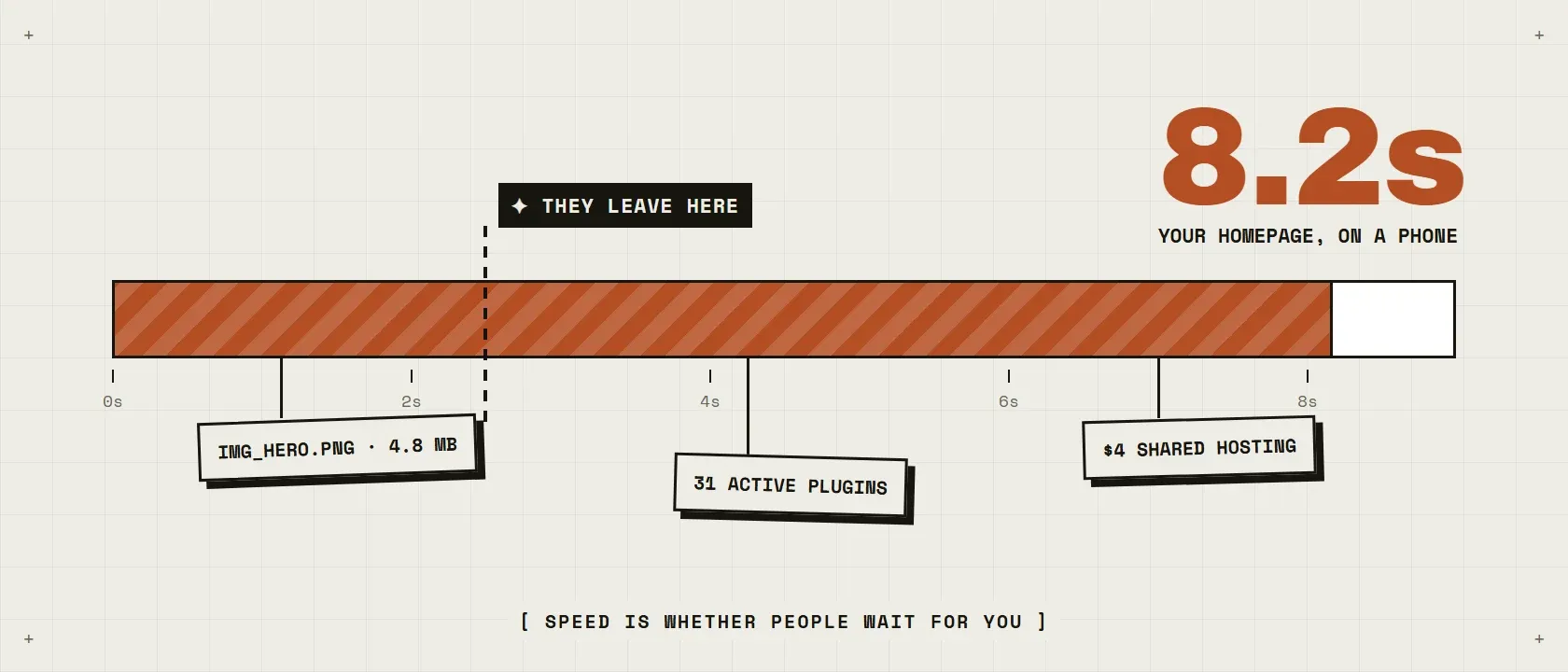
You have felt it: you open your own website and watch it assemble itself, piece by piece, while you wait. Your customers feel it too, except they do not wait. They hit back and call whoever loads next. The frustrating part is that “slow” has dozens of possible causes, and most advice online sells you a plugin before it tells you which cause is yours.
The short answer: almost every slow WordPress site comes down to some mix of seven causes: weak hosting, oversized images, too many or badly coded plugins, no caching, a heavy theme or page builder, a cluttered database, or outdated software. Measure first, then fix in that order. Most sites need two or three of the fixes, not all seven.
How do I find out what is actually slow?
Measure before you spend anything, because guessing is how people buy fixes for problems they do not have. Run your site through Google PageSpeed Insights and GTmetrix, free tools that name the specific problems: images too large, server responding slowly, scripts blocking the page. Test your two or three most visited pages, on the phone view, since that is where your visitors are.
I say this as someone who measures for a living. Across 200+ customer interviews and years of A/B tests, the single most reliable lesson is that the thing everyone assumes is the problem often is not. Ten minutes of measuring beats a weekend of forum advice.
Speed is not a technical metric. It is whether people wait for you.
Is my hosting making the site slow?
If your server takes more than half a second to send the first byte, yes, and nothing you do above it will fully compensate. Shared hosting at $4 a month means sharing a server with hundreds of strangers, and their traffic spikes become your slow days. It is the right price for a hobby site and the wrong price for a business that earns money while open.
The upgrade path is simple: managed WordPress hosting at $25 to $80 a month buys you a faster floor for every single page. It is also the least glamorous fix, which is why people skip it and buy plugins instead.
Are my images too big?
If you upload photos straight from a phone, almost certainly. A modern phone photo is 3 to 5 MB; a web page has room for images a tenth that size. Four uncompressed photos outweigh everything else on the page combined.
The fix costs nothing: resize images to the size they display at, compress them, and serve modern formats like WebP. An optimization plugin can do this in bulk. It is routinely the biggest single win on sites I look at, precisely because it accumulated invisibly, one upload at a time.
Do I have too many plugins?
The honest question is not how many, but what each one does on every page load. I spent years working on WordPress products installed on millions of sites, WP-Optimize among them, and the pattern I saw over and over: a site limping under one badly written plugin while the owner deactivated ten innocent ones.
Audit honestly. For each plugin: does the site still need what it does? Is it updated and maintained? Deactivate the failures one at a time, measuring after each. Keep what earns its place. A plugin you cannot explain is a plugin you can remove.
Is caching missing?
Without caching, WordPress rebuilds every page from scratch for every visitor, running the same database queries to produce the same result thousands of times. A caching plugin saves the finished page and serves it instantly. It is the closest thing to a free speed multiplier that exists.
One warning: caching multiplies what is underneath it. It cannot rescue weak hosting or bloated images, which is why it is step four and not step one.
Is my theme or page builder the problem?
Heavy multipurpose themes and drag-and-drop builders load their whole toolbox on every page, whether the page uses it or not. That JavaScript blocks the browser exactly when the visitor is waiting to see something. You chose the tool for building convenience; your visitors pay for it on every load.
You do not have to abandon a builder tomorrow. But if PageSpeed keeps pointing at render-blocking scripts and your theme is the source, know that the ceiling on your speed is the tool itself.
Is my database cluttered or my software outdated?
Years of post revisions, spam comments and leftover tables from deleted plugins make every query a little slower, and outdated PHP or WordPress versions leave real speed on the table, since new versions ship measurable performance work. Cleaning the database and updating the stack will not transform a slow site alone, but they are cheap, and skipping updates eventually costs you in security, not just speed.
When is it cheaper to rebuild than to fix?
When the problems live in the foundation: a locked-in page builder, a theme abandoned by its developer, years of compounding shortcuts. Fixing a site like that is renovating a house with cracked footings, where every repair fights the structure. A clean rebuild on solid choices is often cheaper than the fourth round of fixes, and it is a moment to cut everything that stopped earning its place. If you go that way, budget it honestly: here is what a WordPress website really costs.
The takeaway: measure first, then work the list in order (hosting, images, plugins, caching, theme, database, updates). Two or three fixes usually carry the day. And if you have been fixing the same site for years, do the rebuild math without sentiment.
If you would rather hand someone the measuring and the verdict, tell me what is going on and I will give you an honest read, including when the answer is that a $30 hosting upgrade solves it and you do not need me.
Frequently asked questions
Why is my WordPress site slow even with few plugins?
Plugin count matters less than plugin quality. One poorly coded plugin running heavy queries on every page load can slow a site more than twenty well-built ones. Deactivate plugins one at a time while measuring, and you will usually find one or two culprits, not a crowd.
Does hosting really matter that much for WordPress speed?
Yes, it sets the floor under everything else. No caching plugin can make a $4 shared server fast. If your time-to-first-byte is regularly over half a second, upgrading hosting is the single fix that improves every page at once.
How fast should a WordPress site load?
Aim for under 2.5 seconds for the main content on a phone over a normal connection, which matches Google’s Largest Contentful Paint threshold. Under 2 seconds feels fast to people. Over 4 seconds and a meaningful share of visitors give up before the page finishes.
Will a caching plugin fix my slow site?
It helps almost every site, but it multiplies what is underneath. Caching a fast site makes it very fast. Caching a site with bloated images on weak hosting makes it a cached slow site. Fix hosting and images first, then cache.